
Your Budget Isn’t What You Think It Is…Unless You’re Tracking Commitments
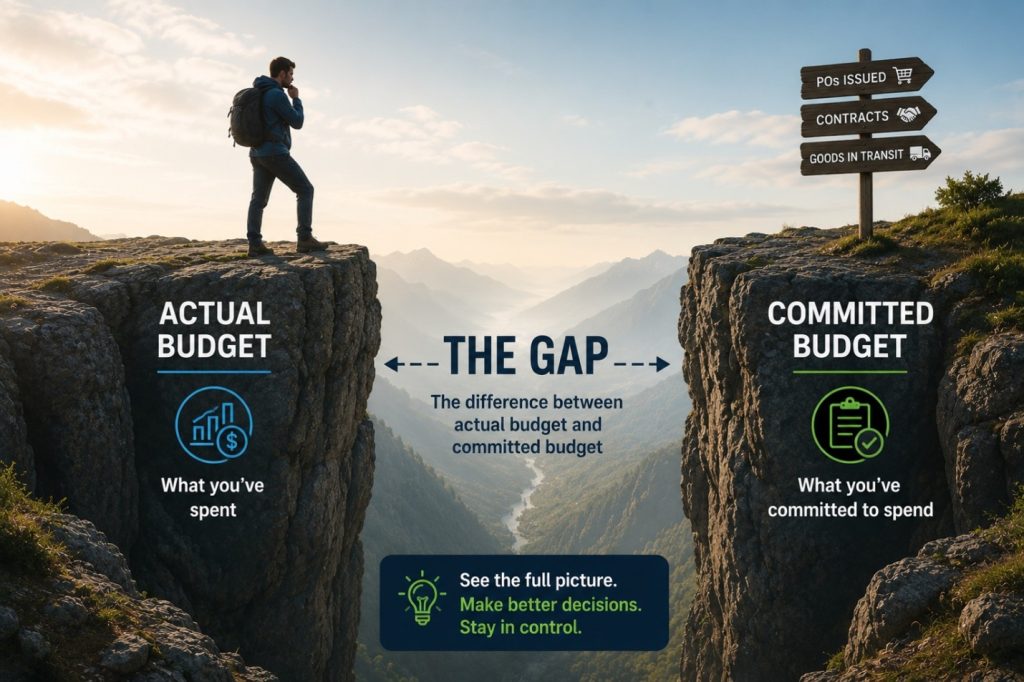
You approved the budget. The numbers looked right. And then, somewhere between the purchase order and the invoice, you ran out of money. If that scenario sounds familiar, the problem probably isn’t your budget. It’s what your budget doesn’t know about yet. Most financial reports show you two things: what you budgeted and what you’ve spent. That seems like enough until you factor in everything that’s been ordered but not yet invoiced. Purchase orders that have been issued. Contracts that are active. Goods that are in transit.
None of those show up as expenses until an invoice is posted. But the money is already spoken for.
That gap between what you’ve spent and what you’re committed to spending is where budget surprises live. And for organizations managing tight margins, grant restrictions, or project-level budgets, that gap can be the difference between finishing a period in control and finishing it over budget.