
Understanding the Sage Intacct Configuration Change Log: Your Behind‑the‑Scenes Audit Ally
If you’ve ever had a system setting change unexpectedly — maybe a user permission, a report layout, or a configuration tweak—you know how frustrating it can be to track down who made the update and why. Luckily, Sage Intacct has built‑in tools that make that detective work much easier. One of the most powerful of these is what many users refer to as the Configuration Change Log, which is essentially part of Intacct’s robust Audit Trail features.
In this blog we’ll walk through what this functionality is, why it matters, and how it helps finance teams stay in control of their system.
What Is the Sage Intacct Configuration Change Log?
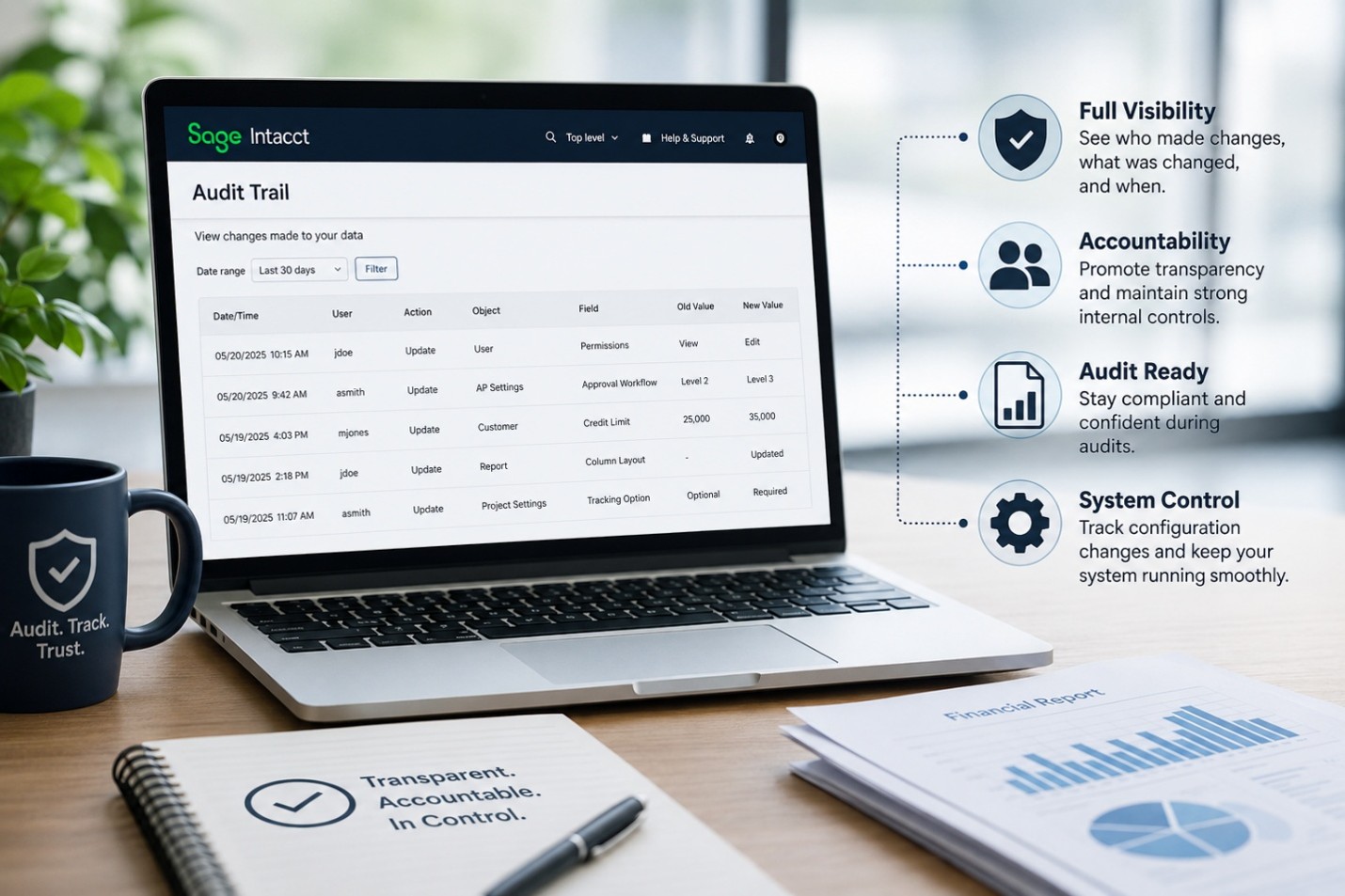
While Sage Intacct doesn’t label a feature specifically as “Configuration Change Log,” the system automatically tracks changes to configuration settings as part of its Audit Trail. According to Sage, Intacct “embeds audit traceability in all its relevant features,” documenting user actions—including configuration updates—so organizations always have visibility into who did what.
This includes logging changes to:
- System configuration settings
- User setups
- Custom report configurations
- Master records (customers, vendors, contracts, etc.)
- Transactions
The audit trail captures:
- Who made the change
- What was changed
- When it was changed
- In many cases, before/after values
This means the “configuration change log” is effectively the part of the audit trail that helps you understand adjustments to the setup and backbone of your Sage Intacct environment.
Why This Matters for Your Organization
Stronger Compliance and Audit Readiness
Sage Intacct’s audit trails give organizations a clear chain of custody for system changes—something essential for compliance frameworks and financial audits. It provides a centralized record of all user actions that auditors can quickly review.
This includes configuration activity, so if auditors want to know who changed financial report layout or updated approval settings, it’s all there.
Fewer Headaches When Troubleshooting
We’ve all experienced situations where a vendor term, project field, or other setting changed without explanation, creating confusion for the team. Sage Intacct’s detailed change tracking helps solve exactly those mysteries. Sage notes that the system can show the “what, who, and when” of changes—including field‑level updates and before/after values—so teams no longer have to guess or rely on memory.
Transparency Across Users and Admins
With multiple stakeholders in the system—controllers, finance staff, AP clerks, administrators—keeping track of who has access and what they’re changing is critical. Sage Intacct tracks user logins, permissions, and actions across the system. Facilities like the audit trail and access reports support proper internal controls and help identify when a role or configuration has shifted.
This also reinforces best practices around separation of duties, as highlighted by Sage’s guidance on audit preparation.
What You Can See in the Audit Trail
Intacct offers detailed visibility into dozens of record types. For configuration‑related activity, the audit trail helps you drill into:
- Changes in user permissions
- Modifications to company or module settings
- Updates made in configuration screens (e.g., Accounts Payable, Projects, Cash Management)
- Changes to custom report or dashboard structures
Changes can be viewed via:
- Audit History reports
- The “View Audit Trail” option on individual records
Both provide a time-stamped, user‑specific snapshot of what happened.
Practical Use Cases
➤ Unexplained report layout changes
You can quickly identify who modified the column layout, filters, or configuration settings.
➤ Unexpected changes to approval workflows
The audit trail shows when approval settings were altered and by whom—critical for internal controls.
➤ Vendor or customer record edits
If credit limits, payment terms, or contact info change, Sage’s audit details show exactly what field was updated.
➤ Period‑end discrepancies
Audit logs can help reconcile situations where automated or unexpected system-generated updates occur, even shedding light on cases where automated journal entry reversals lacked clear logging.
How It Supports Your Finance Team
Beyond compliance, the configuration change log (audit trail):
- Builds trust in the accuracy of financial data
- Creates accountability without micromanagement
- Supports smoother onboarding for new admins
- Helps maintain consistency as the organization scales
In short, it’s one of those behind‑the‑scenes features that makes a massive difference in day‑to‑day system governance.
Final Thoughts
The Sage Intacct Configuration Change Log—powered by the platform’s embedded audit trail—is a quiet hero for finance and accounting teams. It brings clarity to system behavior, strengthens audit readiness, and helps teams stay aligned even in complex environments.
If your organization relies on accurate, trustworthy financial operations (and let’s be honest—whose doesn’t?), taking advantage of this feature is a must.
__________________________________________________________________________________
WRITTEN BY Angela Payne
Angela Payne is the Sage Intacct Practice Manager, where she helps organizations make the most of their financial systems. She leads a team that focuses on everything from new Intacct implementations to ongoing support, system clean‑ups, and training. Angela loves working with clients—especially in healthcare, nonprofit, and SaaS—to simplify processes and make their day‑to‑day work smoother. She’s known for being easy to collaborate with, solution‑oriented, and always focused on helping teams get real value out of their technology.